Redesigning mPharma’s procurement tools to save $330K in operating and expiry-related costs
Overview
I led the redesign of mPharma’s procurement process, replacing fragmented manual workflows with one traceable platform used across nine African countries, saving $330K in procurement and expiry costs while improving order speed and reliability.
Platform
Web appMy role
End to end design
Toolkit
Figjam, Figma, Miro, Linear, Maze, Mixpanel
The problem
The pharmacy network had scaled but procurement had not.
Teams planned orders across disconnected tools with limited visibility into stock, budgets, and supplier activity. Research connected those symptoms to four recurring risks: stockouts, poor budgeting, expired inventory, and unreliable inventory data.
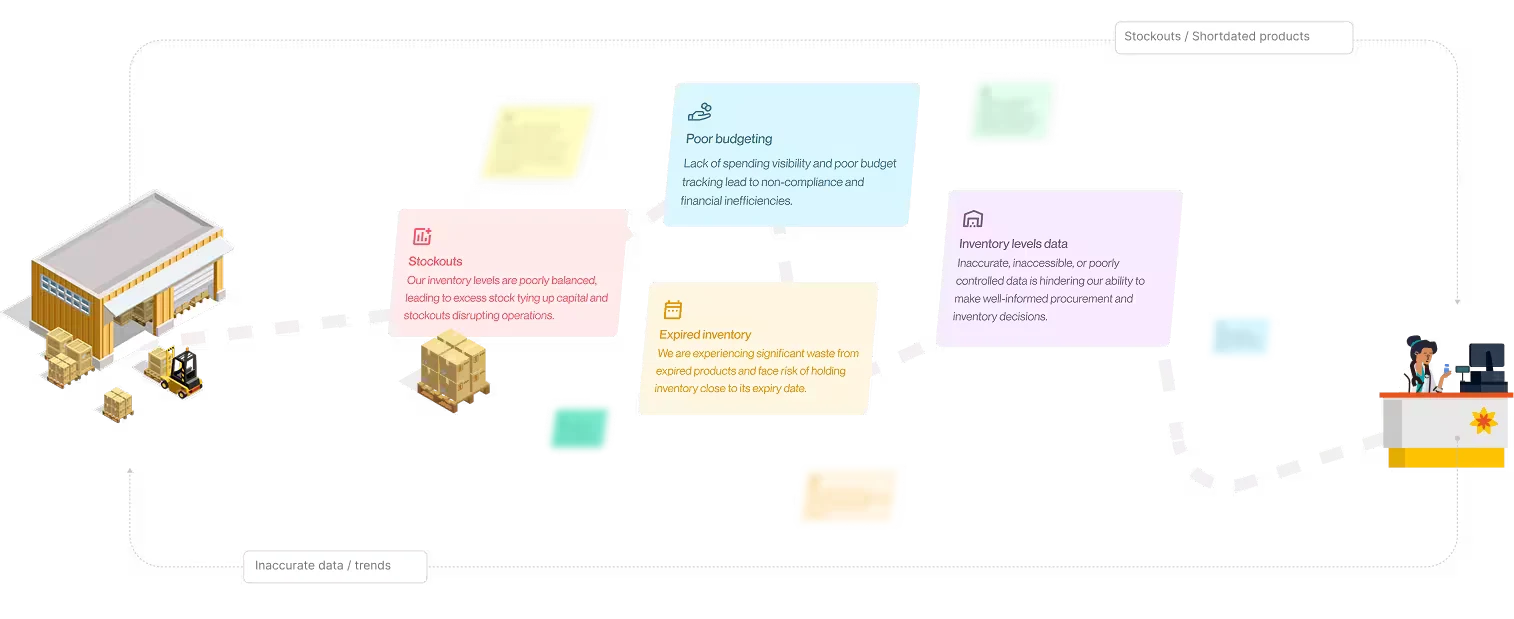
Deep dive : Chaos to clarity
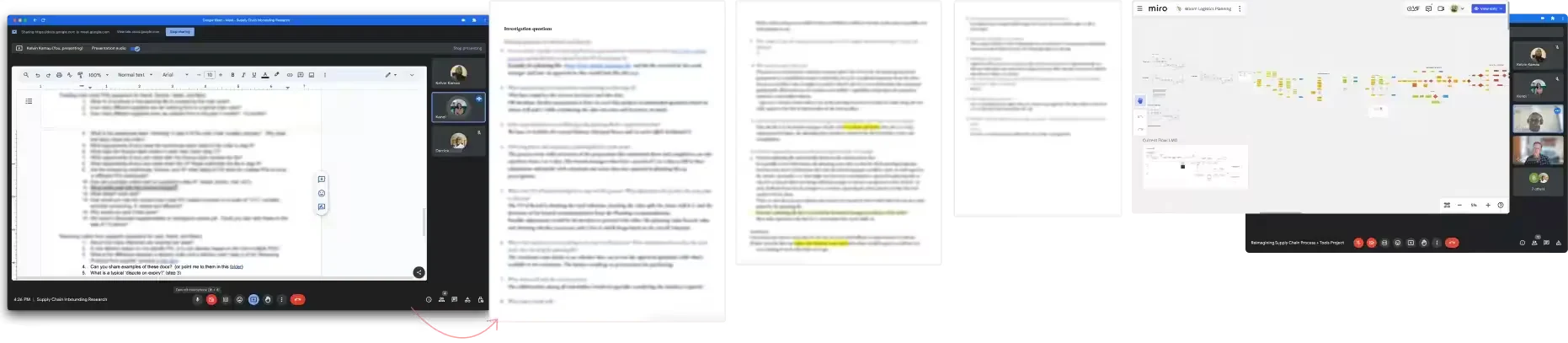
To kickoff, my PM & I held stakeholder interviews involving high-level executives, such as the VP of Sales and Procurement Leads helping us gather context, understand business needs, and learn about the history of the problem. They emphasized on the expensive cost of the third-party tool and limited metrics to improve procurement as key issues. This also enable us secure support from key decision-makers.
■ Contextual inquiry
I observed and interviewed warehouse and procurement teams to understand their workflows and pain points.

■ Expert interviews
I interviewed procurement experts and managers to better understand complex buying processes and industry practices.
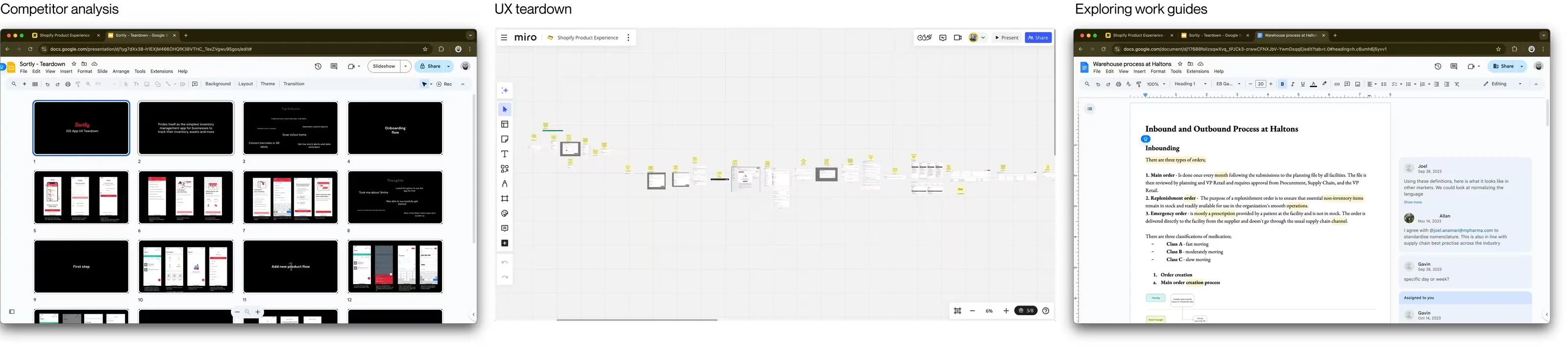
■ Competitor analysis
I reviewed internal work guides and compared similar products like Procurify, Shopify, and Sortly to understand their strengths, weaknesses, and the problem more clearly.
Insights to design
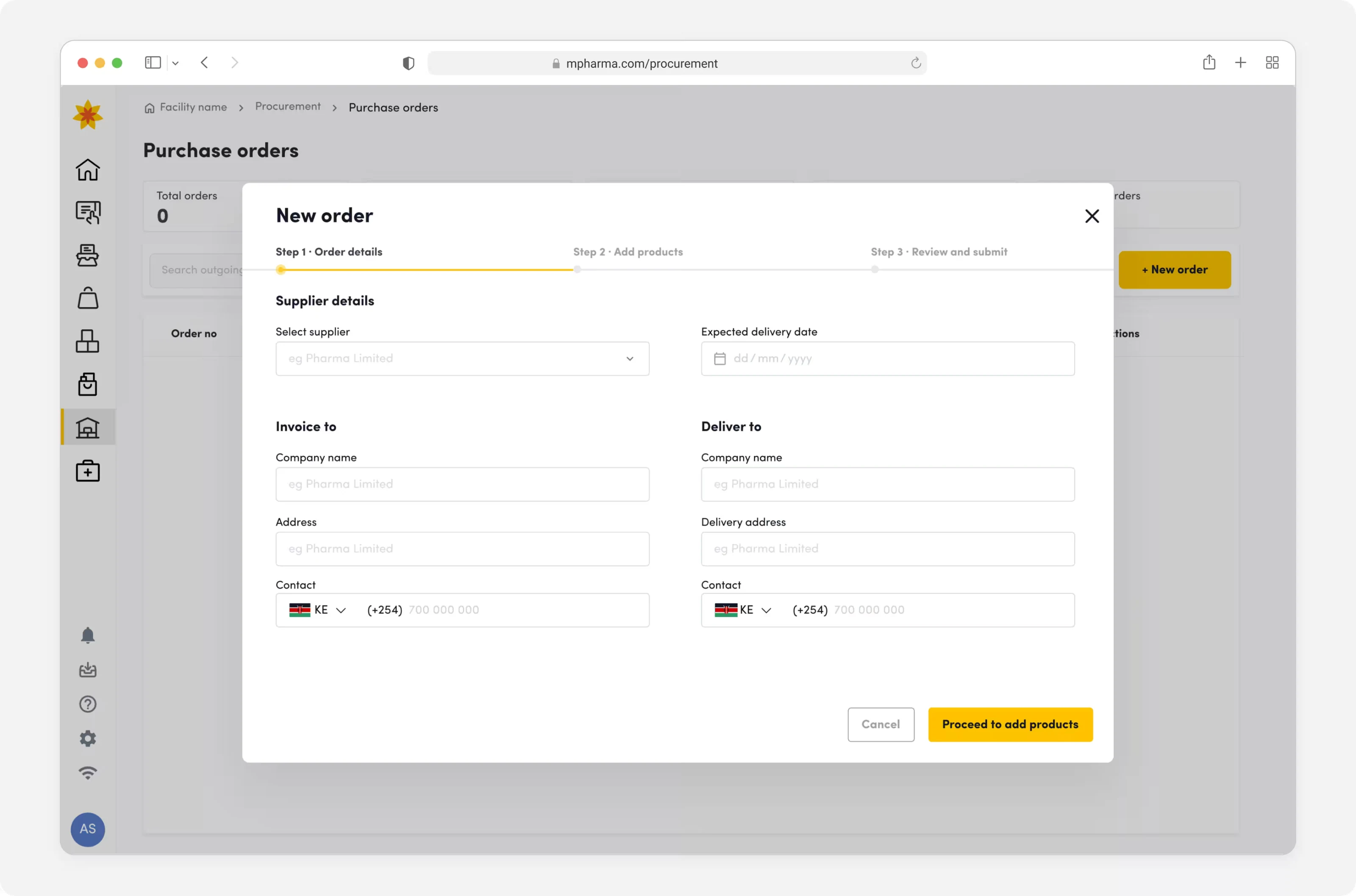
As a procurement manager,
I want to create a draft order
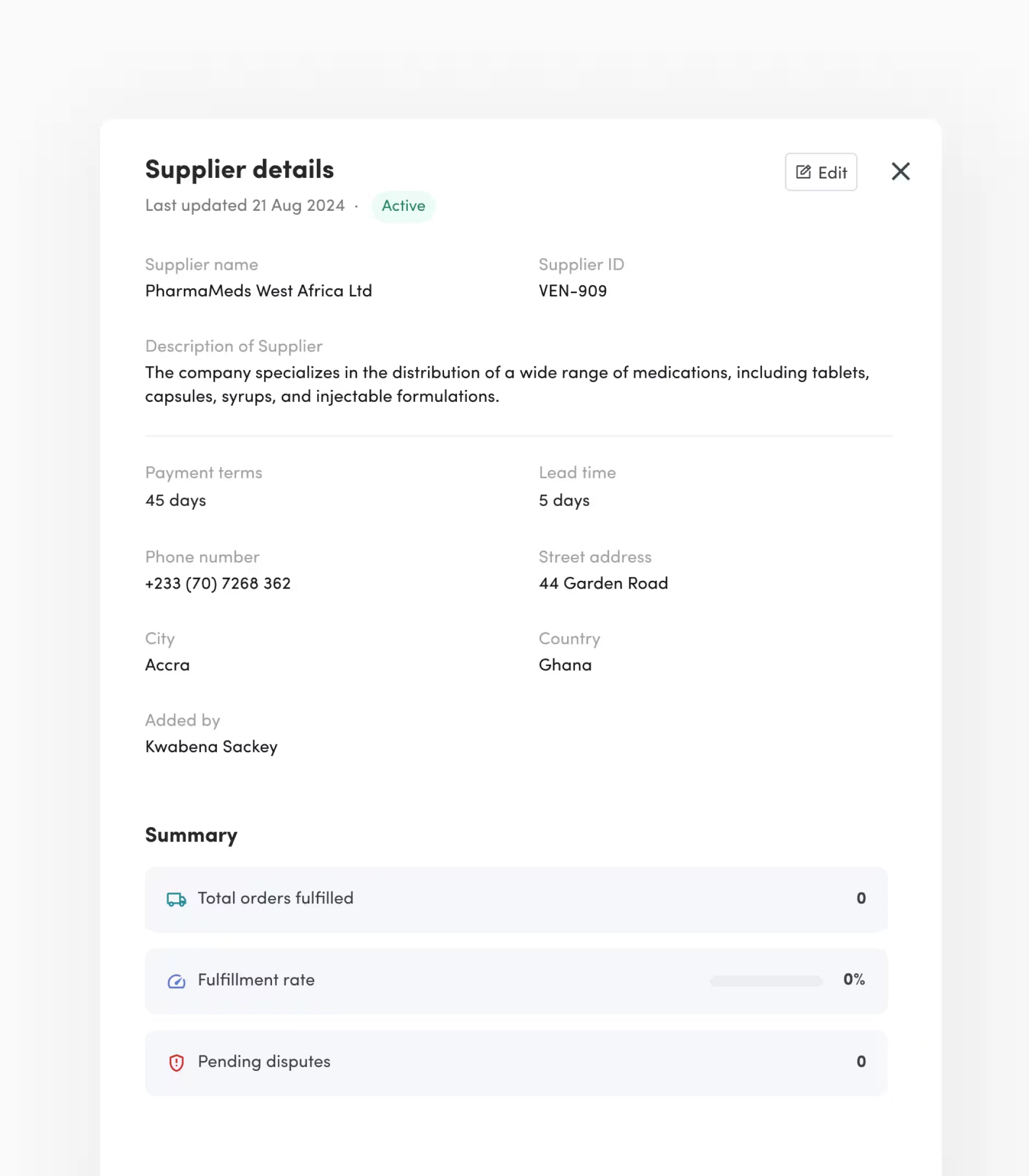
By using pre-filled company information like name, address, date, and order number will reduce manual data entry and minimize the risk of errors in critical order details. Users will pick from a list of pre-approved addresses, suppliers and even terms.
As a procurement manager,
I want to add products to the order
We will minimize manual entry of data and ensure multiple validation approaches to reduce error rate in POs.
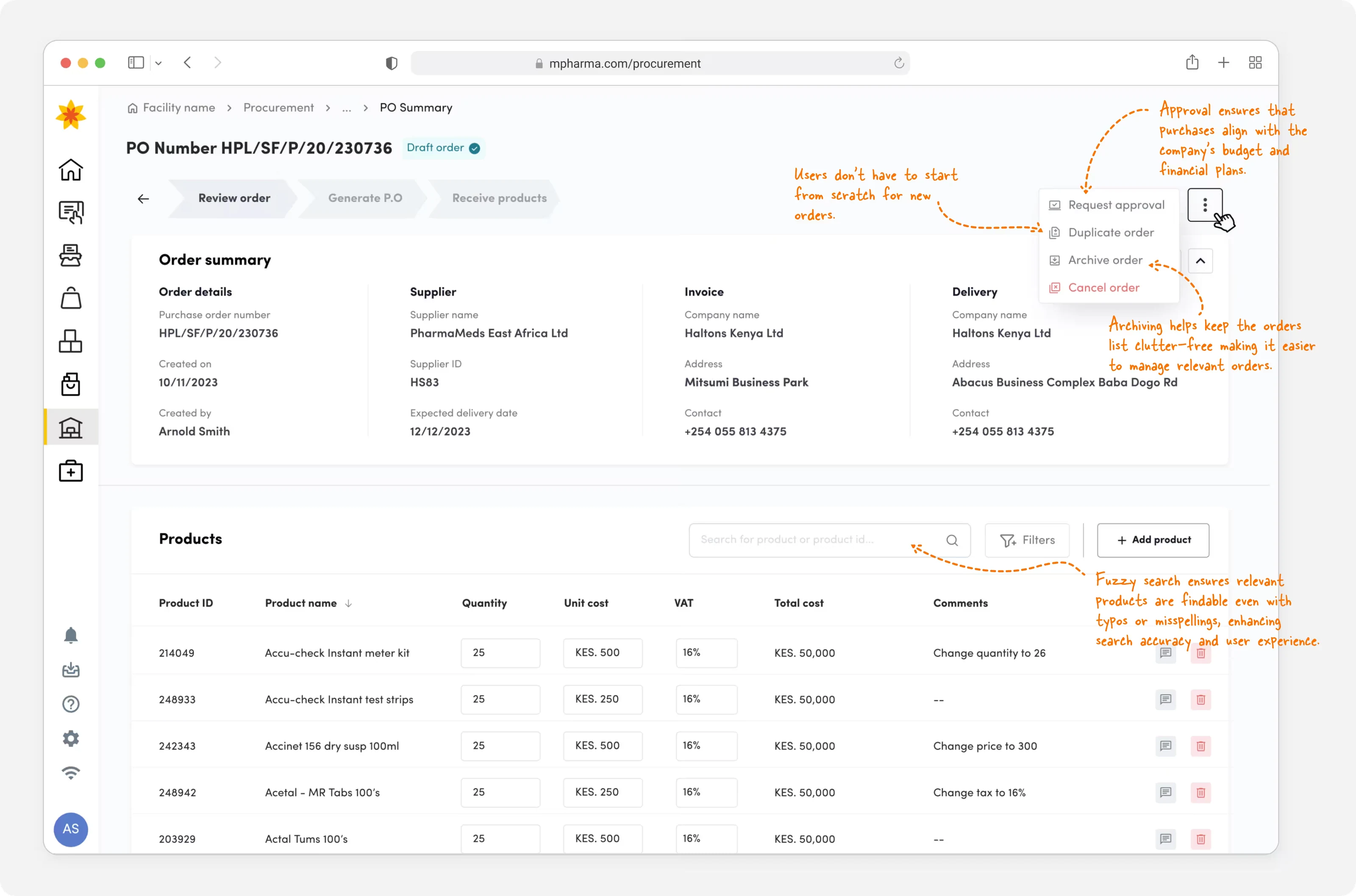
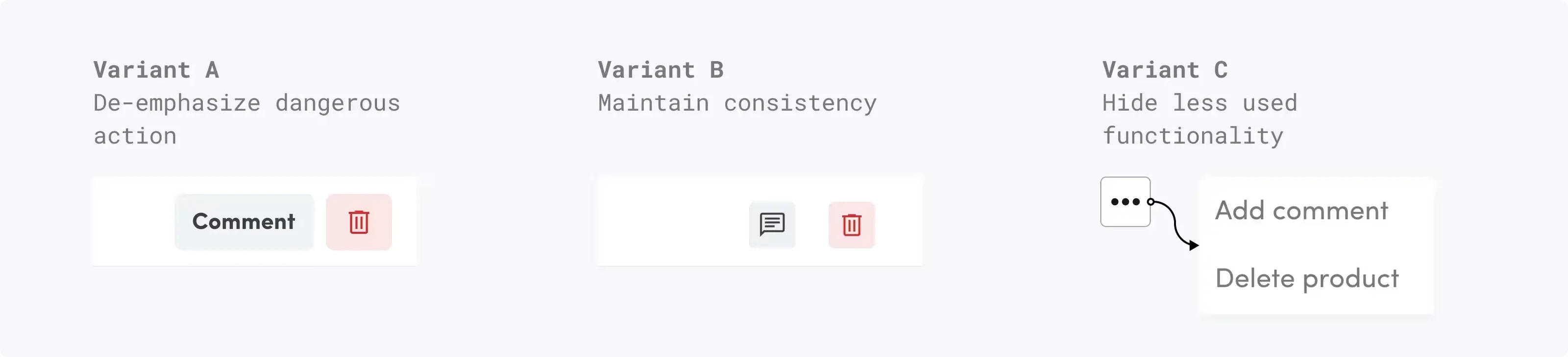
⁽¹⁾ A/B Testing the row action options
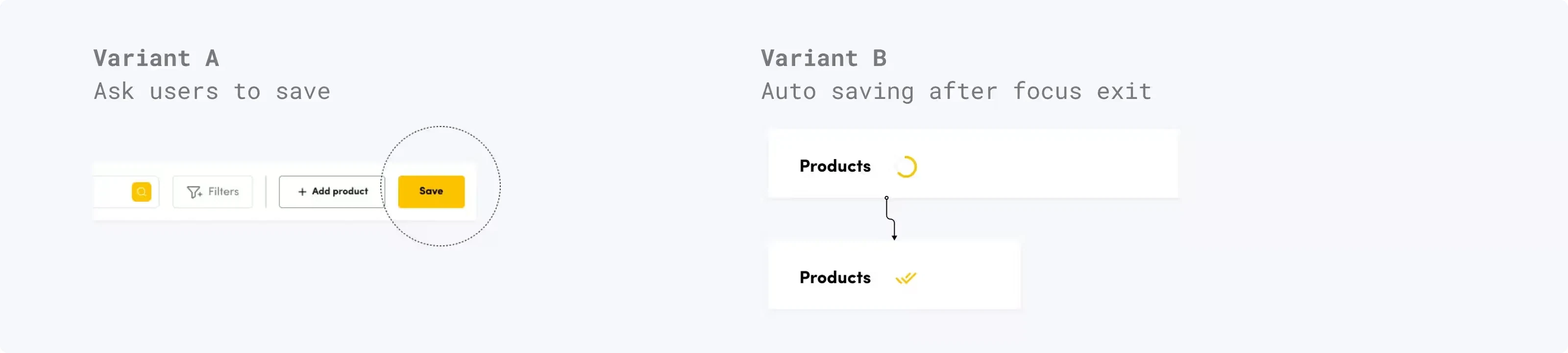
⁽²⁾ A/B Testing the saving changes experience
Branch/finance/sales/planning manager can use comments to suggest changes to an order
Collaboration is simplified through the commenting feature. Users add comments and mark them as resolved or delete them entirely. To keep everyone informed, we notify users whenever new comments added, ensuring they stay current with the conversation.
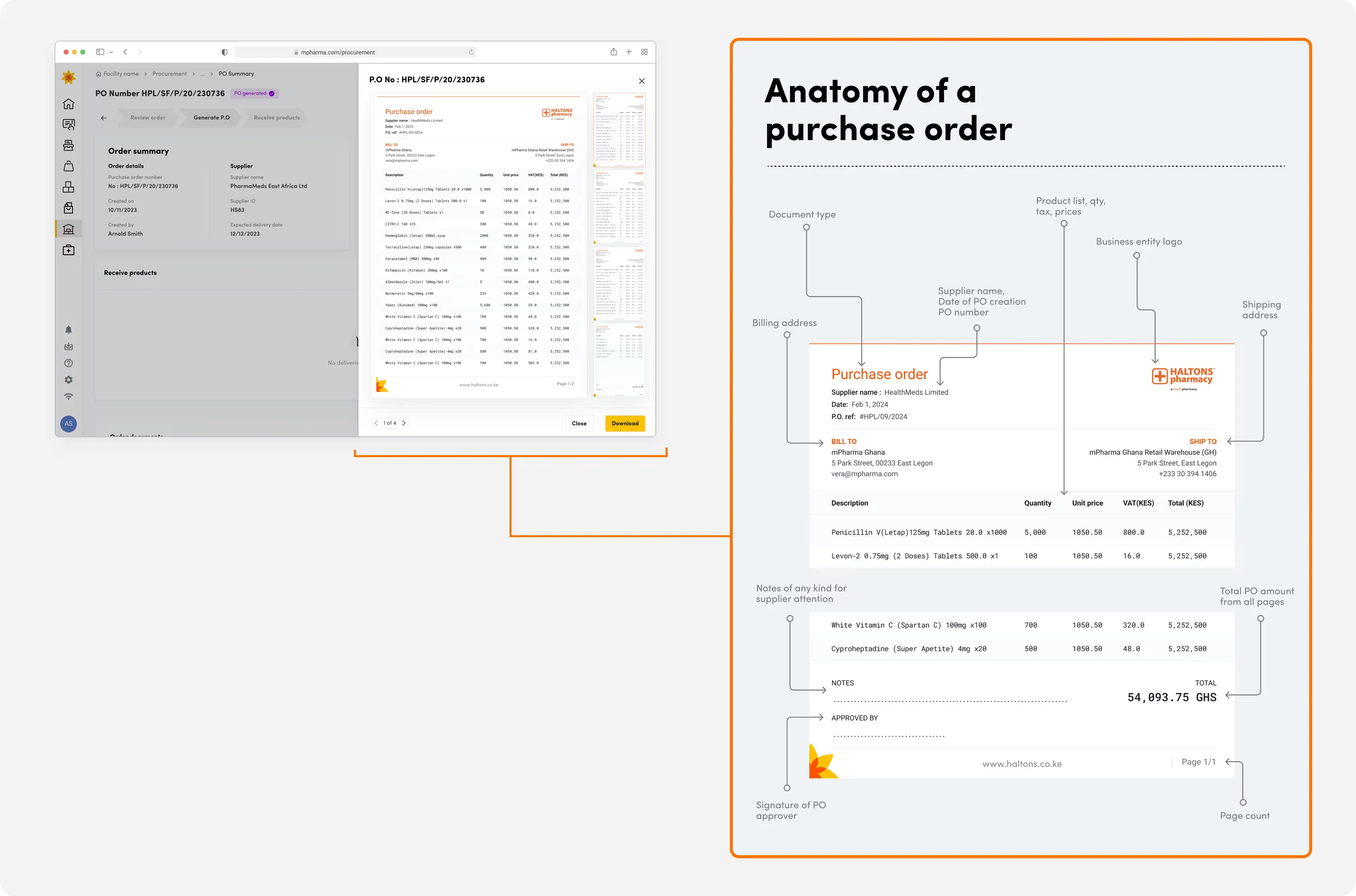
Generate a purchase order document
Users can automatically turn approved purchase requisitions into purchase orders they can send to suppliers. This also helps strengthen financial controls when matching and processing invoices for payment. This in tandem creates an audit trail of all transactions increasing visibility and improves decision making.
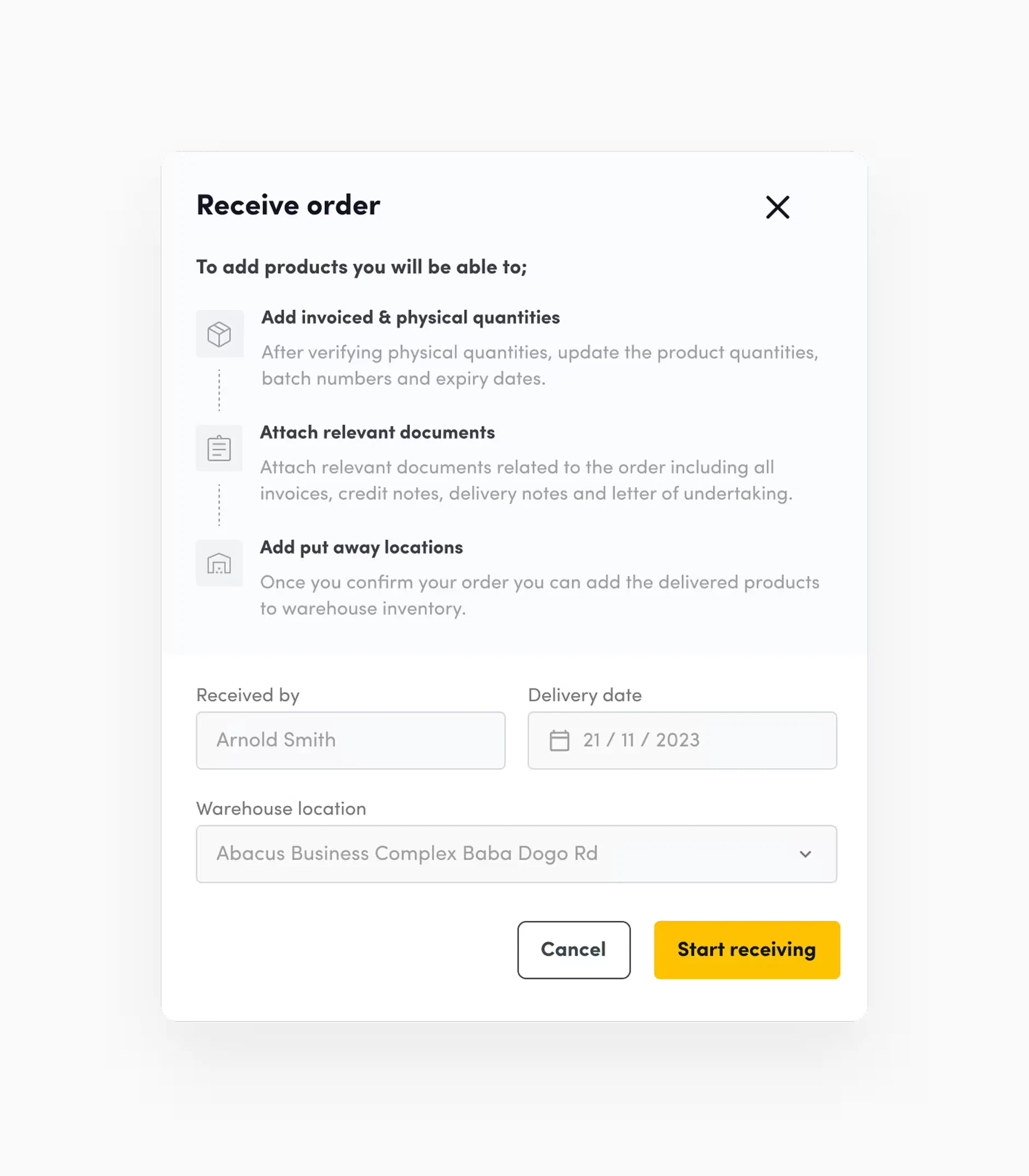
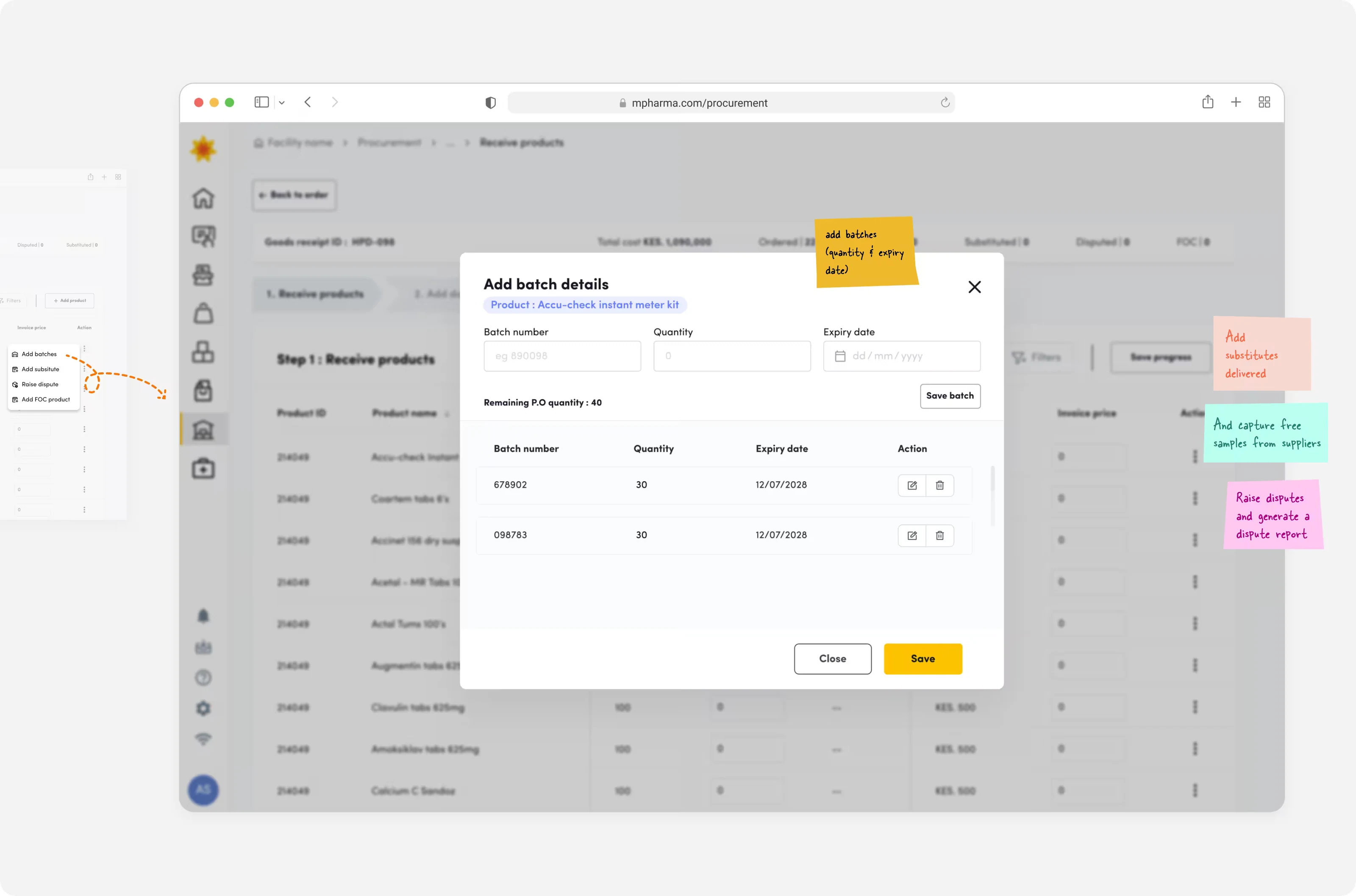
Inbounding delivered products
and adding batch and expiry information
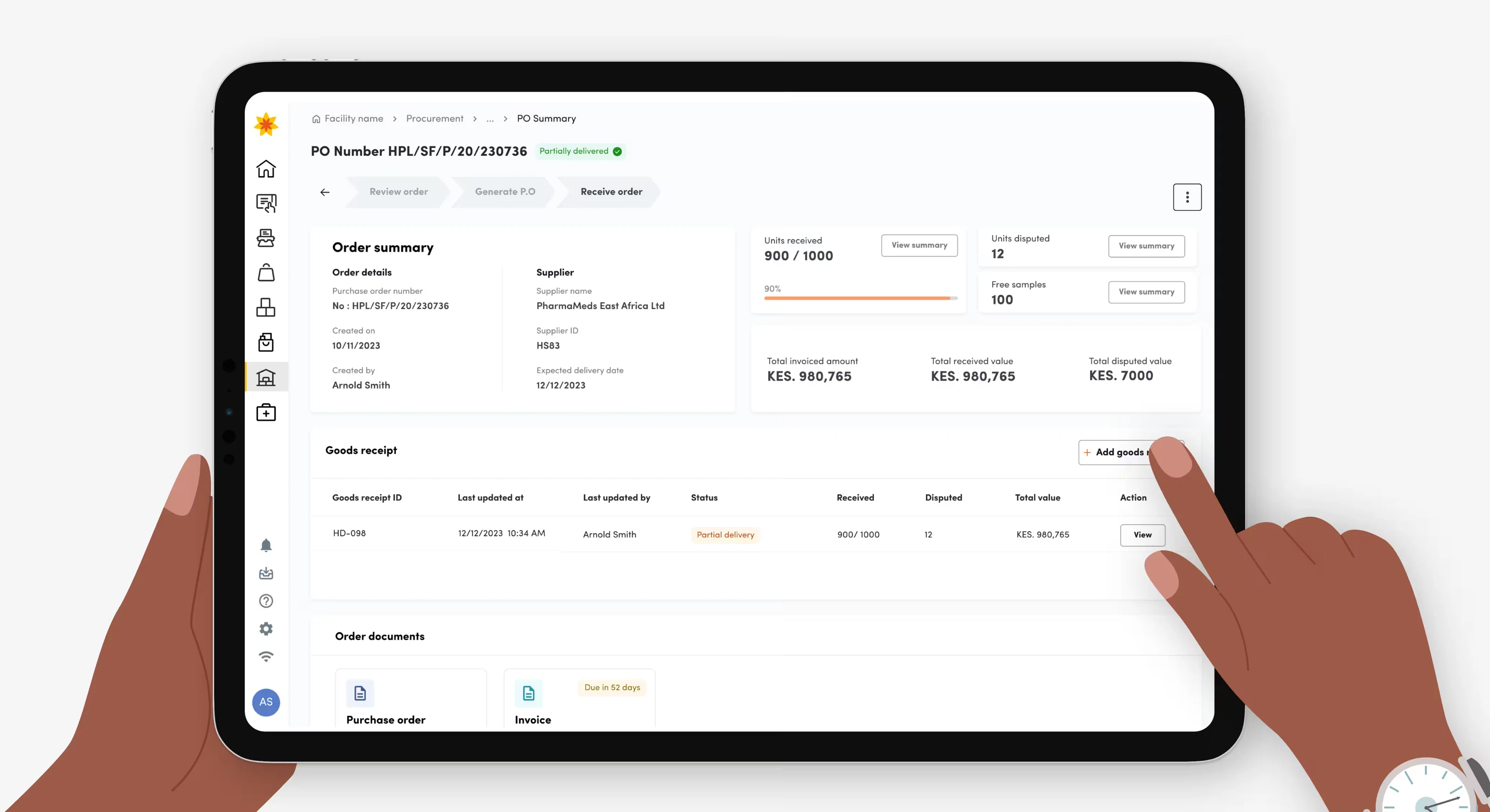
Enabling warehouse staff to record batch expiry dates during 3 way verification of the physical quantity against ordered and invoiced quantity. Standardized dispute handling by capturing product images, affected quantities, and dispute details. Users can also generate supplier reports for efficient resolution.
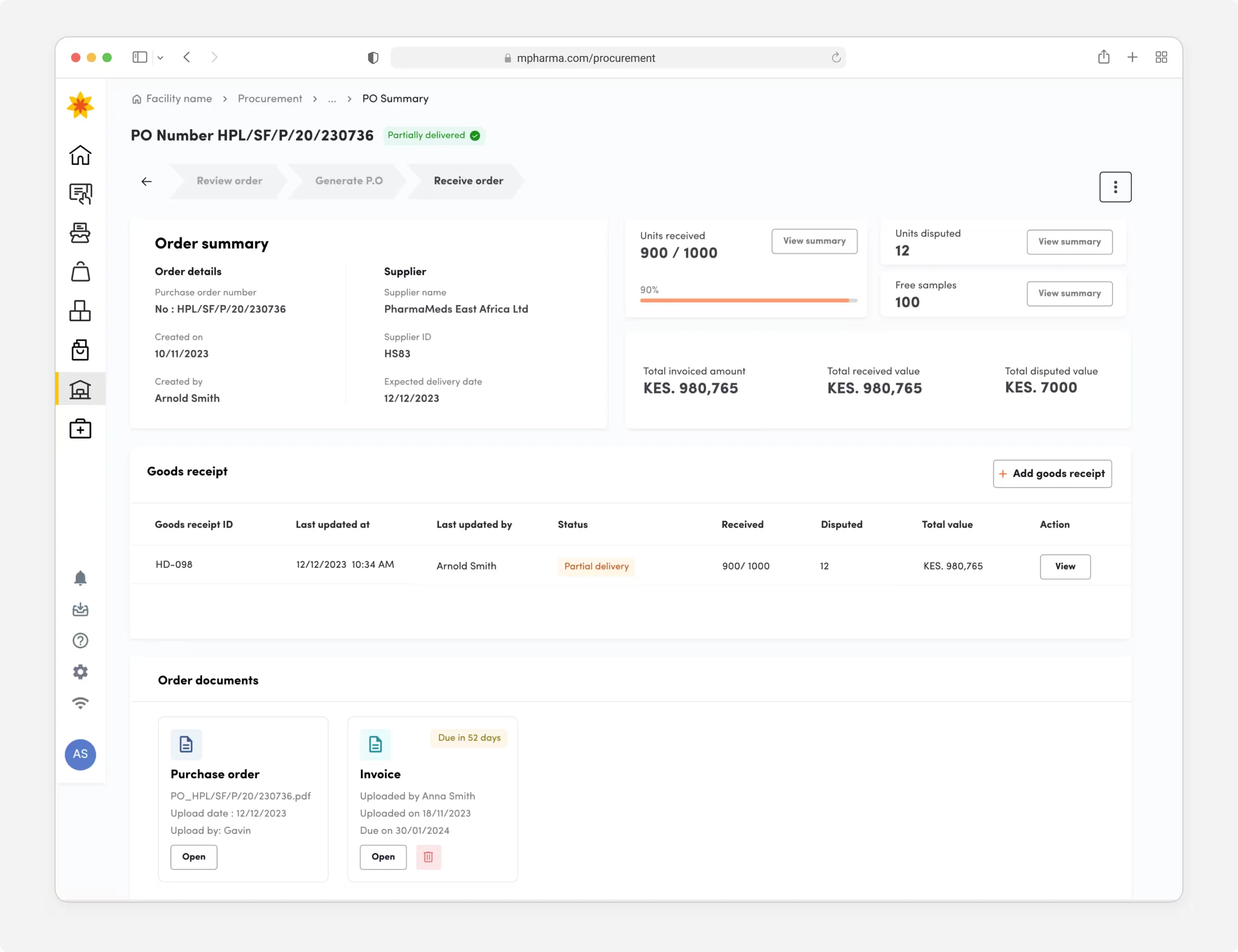
Attaching invoices, LoUs and delivery notes
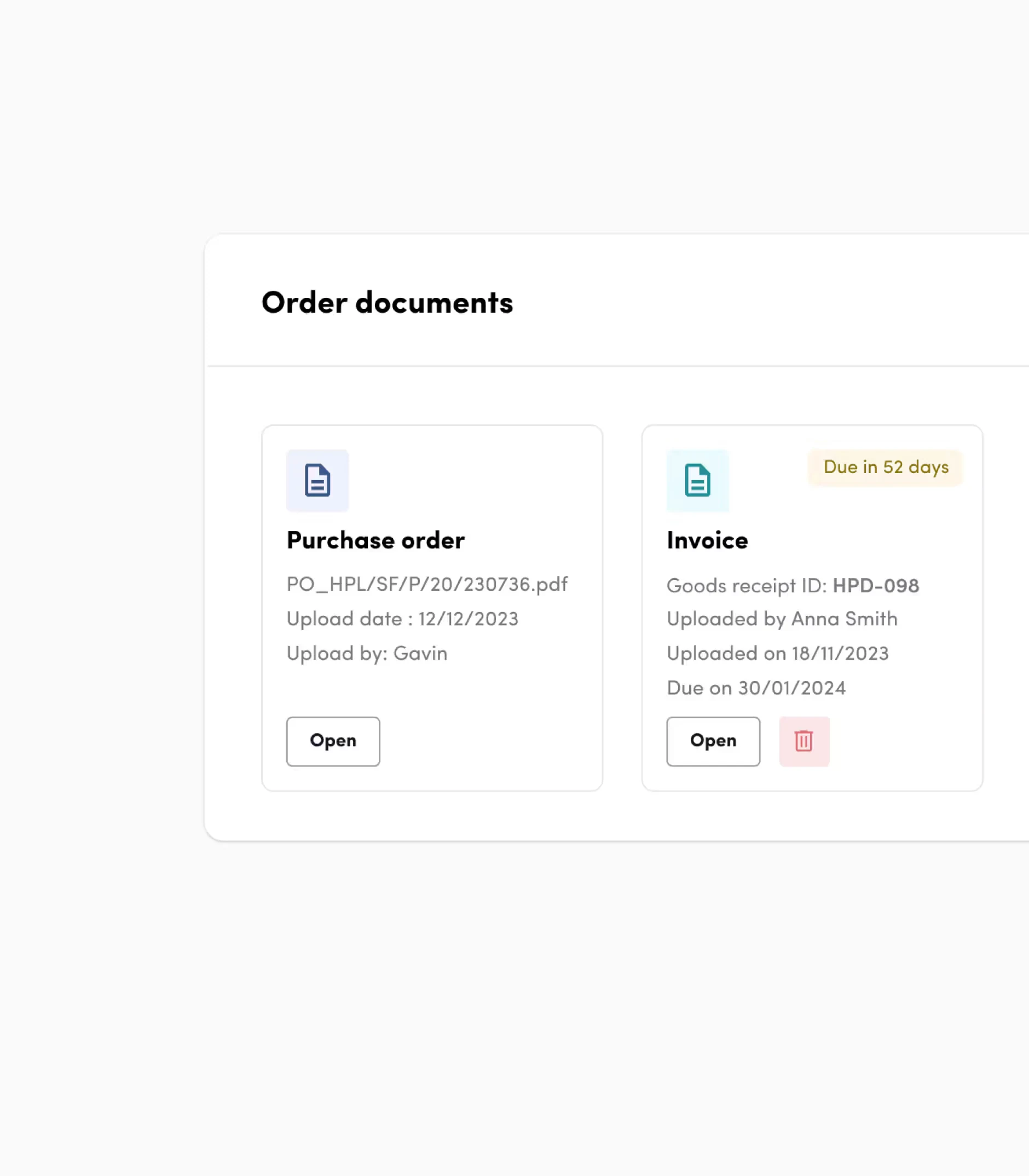
Implement a way for warehouse personnel to digitally submit invoices, including payment deadlines, along with credit notes and relevant documentation ensuring every stakeholder has visibility.
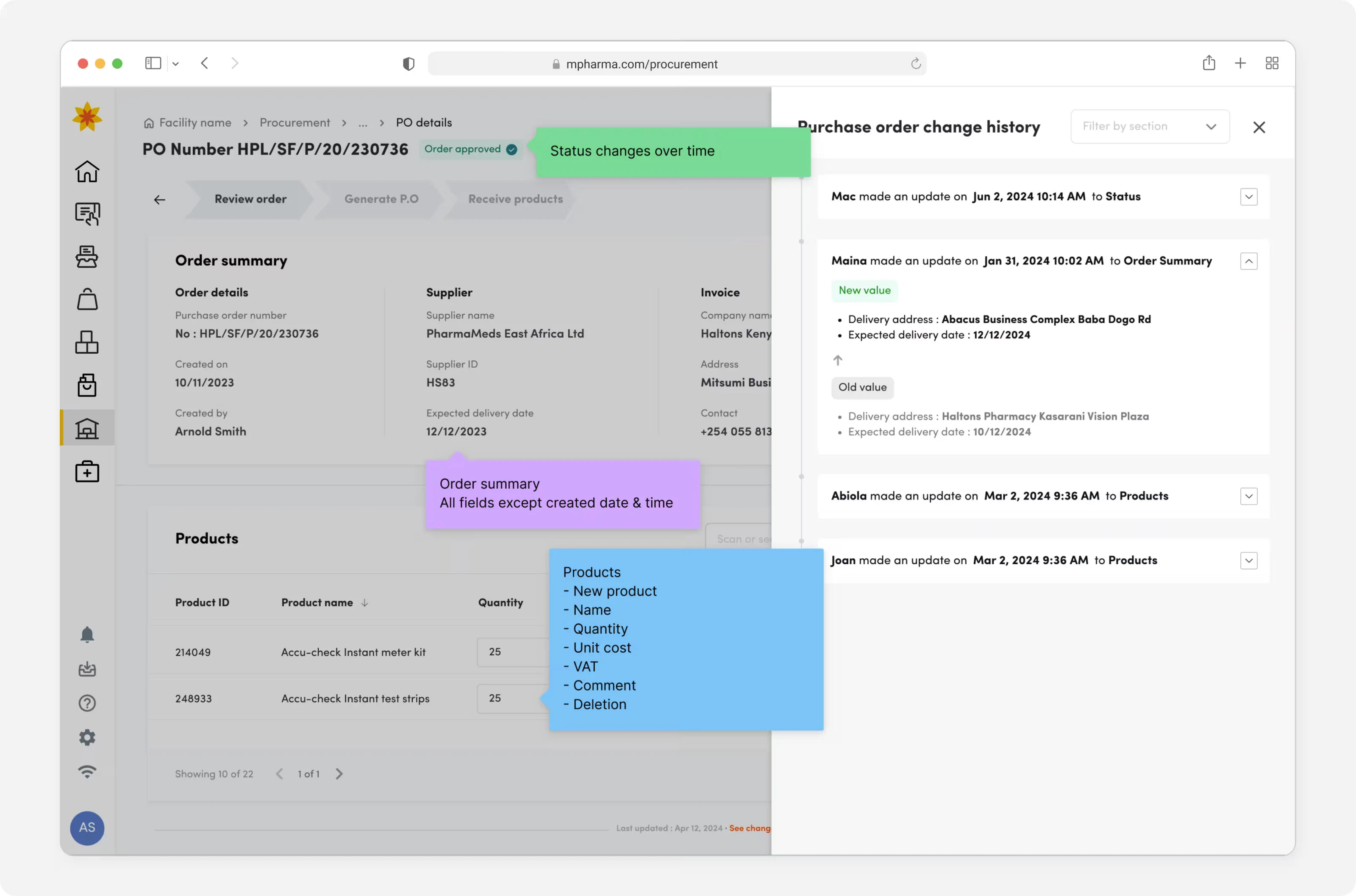
More iteration : Time series change log
To improve accountability and responsibility we implemented a changelog to identify who, when and what changes have been made.
User testing
It was time to connect with our stakeholders and gain firsthand insights into how real users interact with the product. Our objective was to identify any overlooked usability issues, pain points, or areas of confusion. Our aim was to collect genuine user perspectives, steering clear of assumptions or subjective opinions.
Using the 3-layer monadic concept testing, I structured our testing to evaluate three aspects of the concept;
Initial reaction
To capture our users' first impressions and emotional responses upon encountering the concept for the first time.
Functional assessment
To evaluate the concept's practical features, usability, and how well it addresses user needs or solves a problem.
Rational appeal
To explore the deeper connection users might have with the product concept, including how it fits into their work lives.
Looking into the future
The organization has set end of Q3 of 2024 to completely phase out SAP meaning we have one quarter to pilot, iterate and roll out to all our country markets. The journey map I created has been instrumental in helping teams develop an off-ramp strategy that addresses edge and corner cases, ensuring a smoother transition while minimizing disruption and risk as v1 was rolled out.
