Redesigning a leading desktop pharmacy POS to supercharge checkout with contextual UI, AI assistance, offline mode and multi-market support.
From insights to design
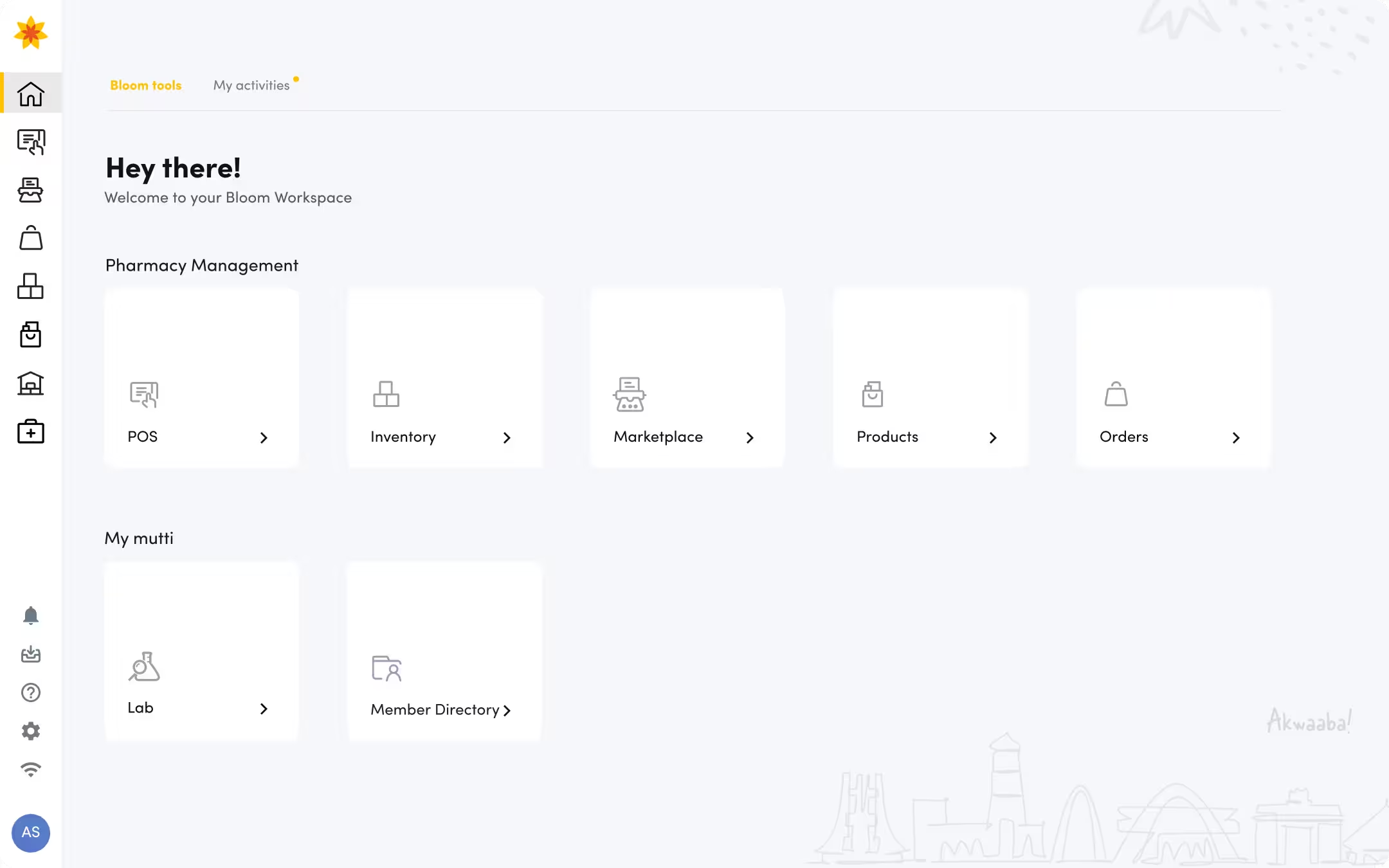
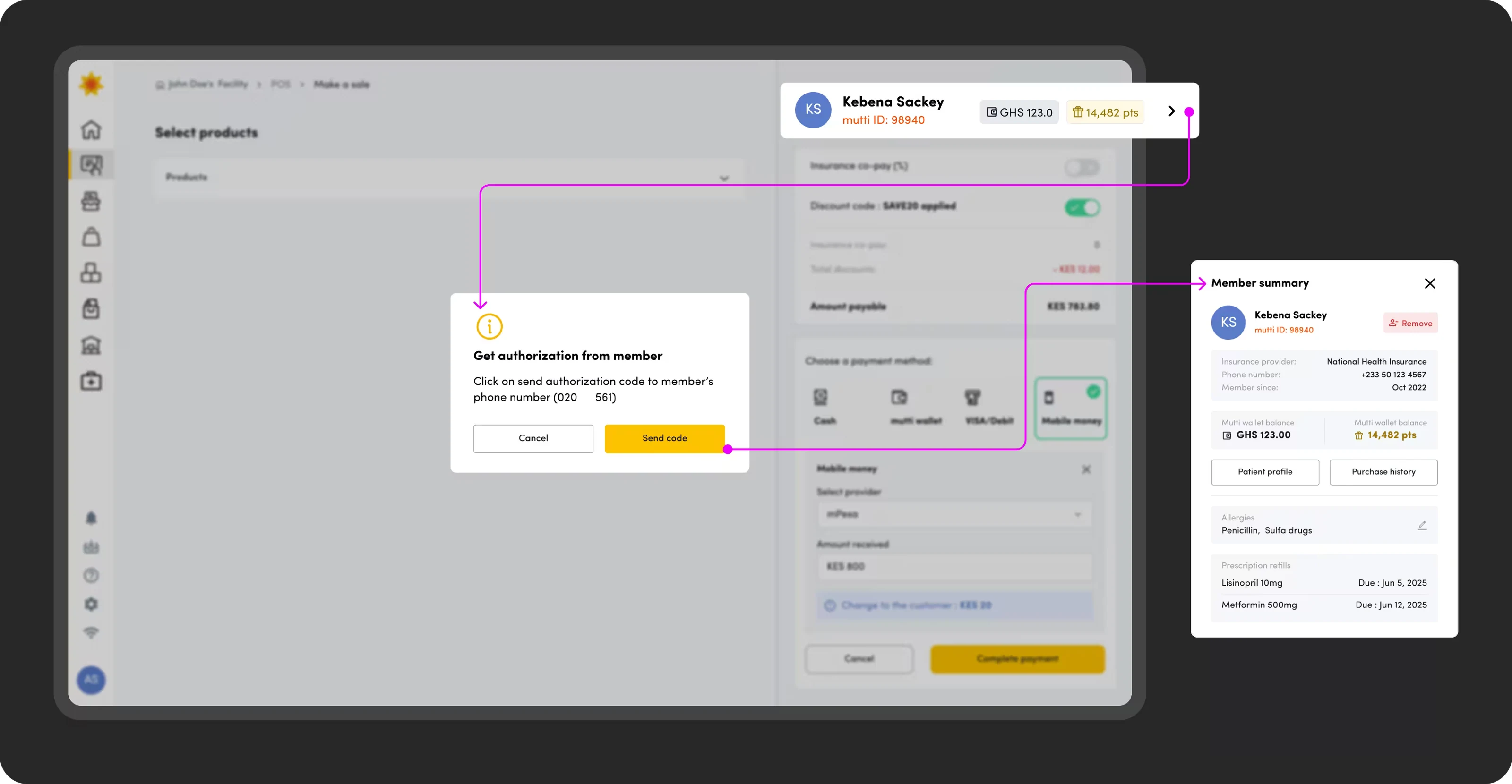
A layout designed for speed and intelligence.
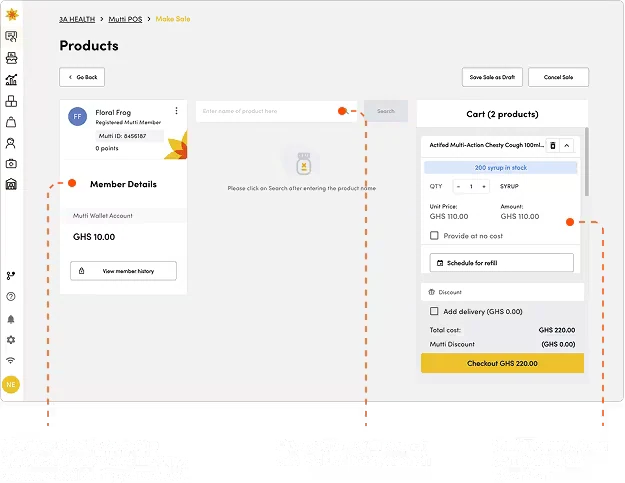
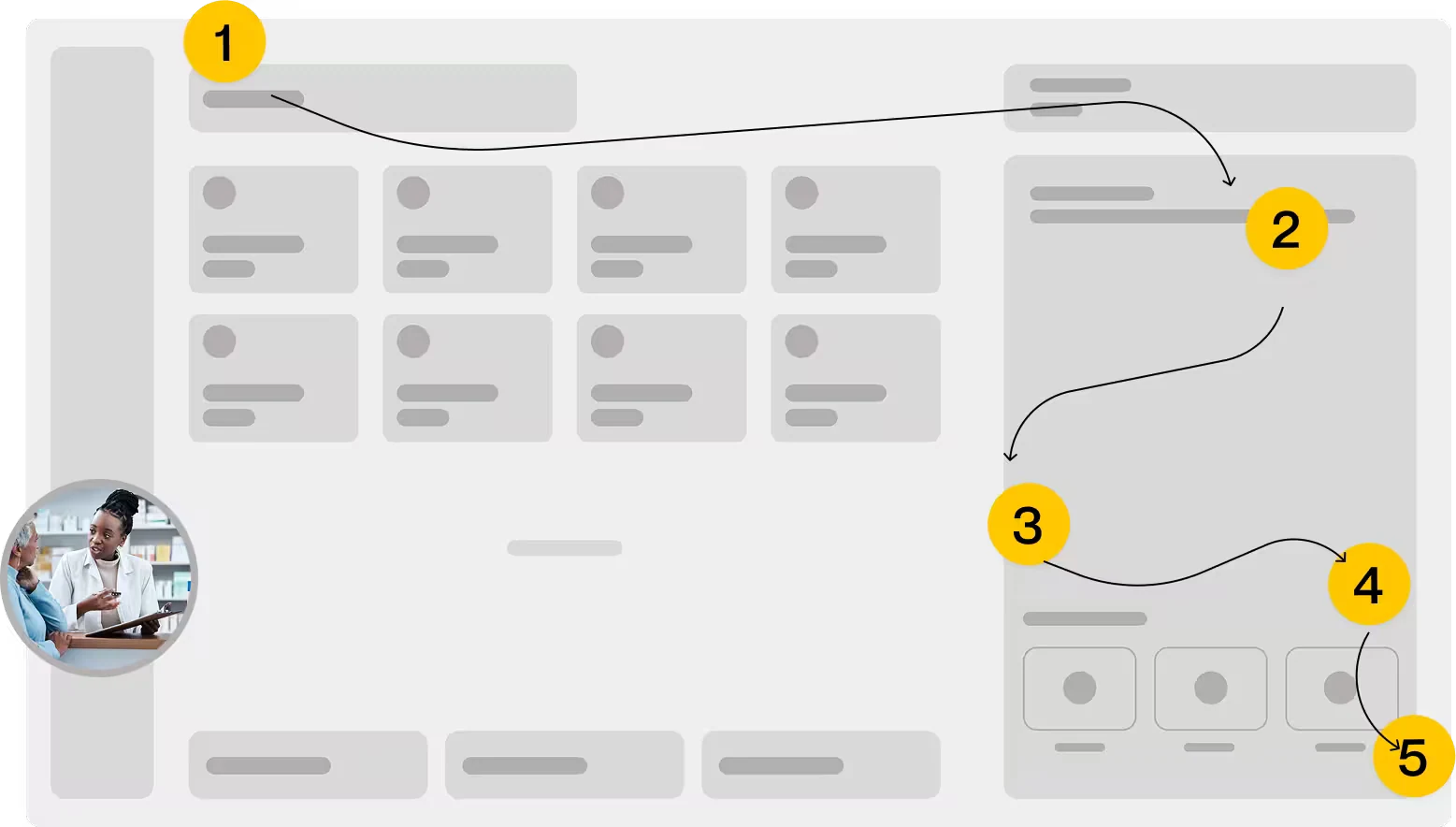
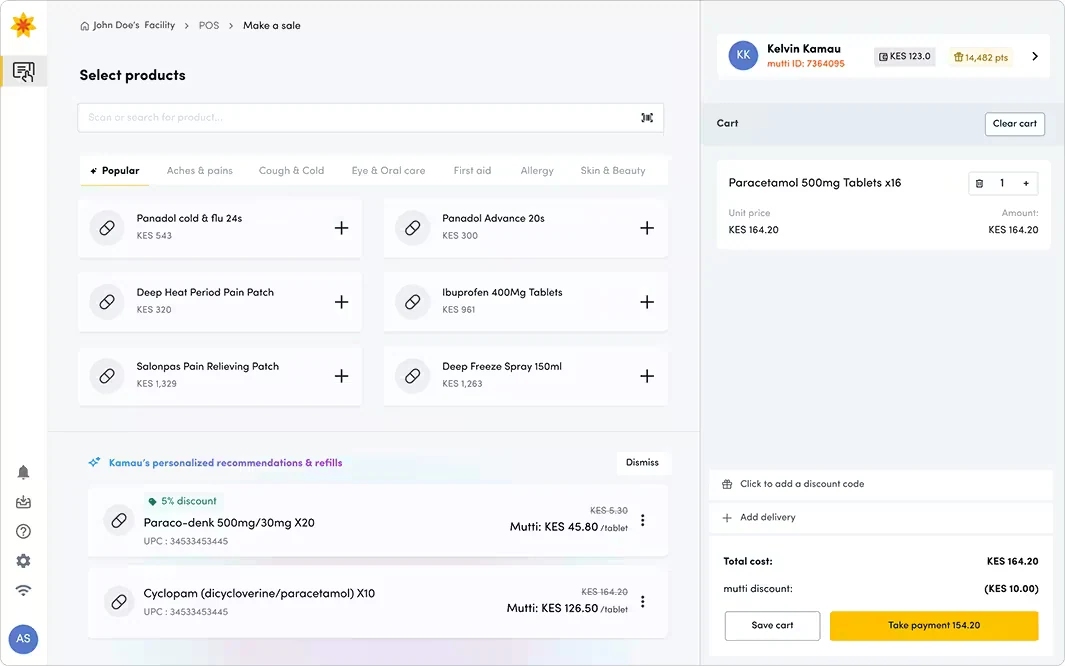
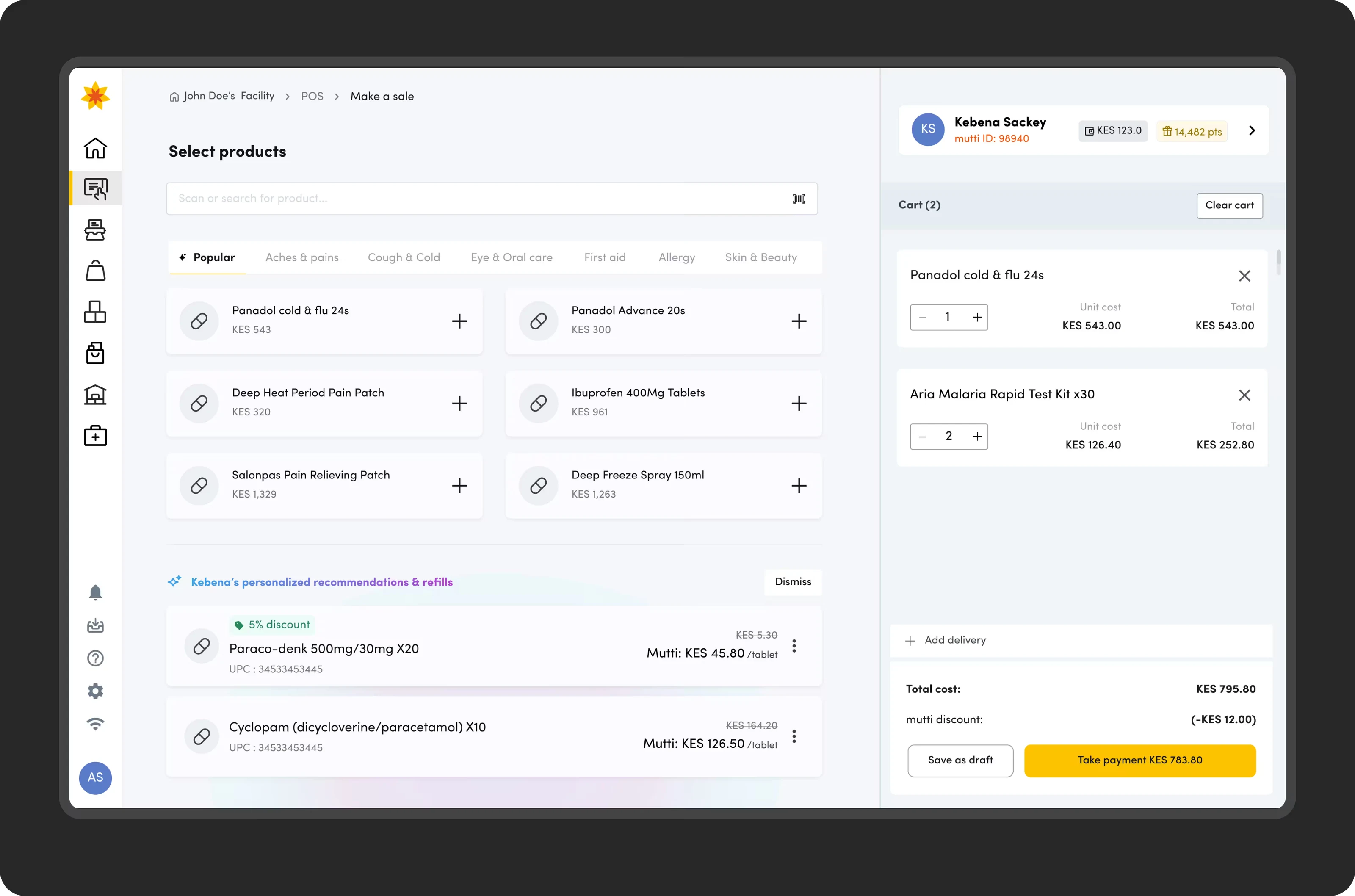
The new interface prioritizes the main working area removing clutter to minimize cognitive load. It is enhanced by two AI features: smart suggestions which surface products based on local popularity and individual purchase history, and automated Refill Prompts, which pre-emptively display items based on a patient's prescription cycle.
We implemented AI safeguards including: controls with one-tap dismiss, feedback loop to fine tune suggestions and monitoring using drift dashboards
Iterations to optimize different workflows.
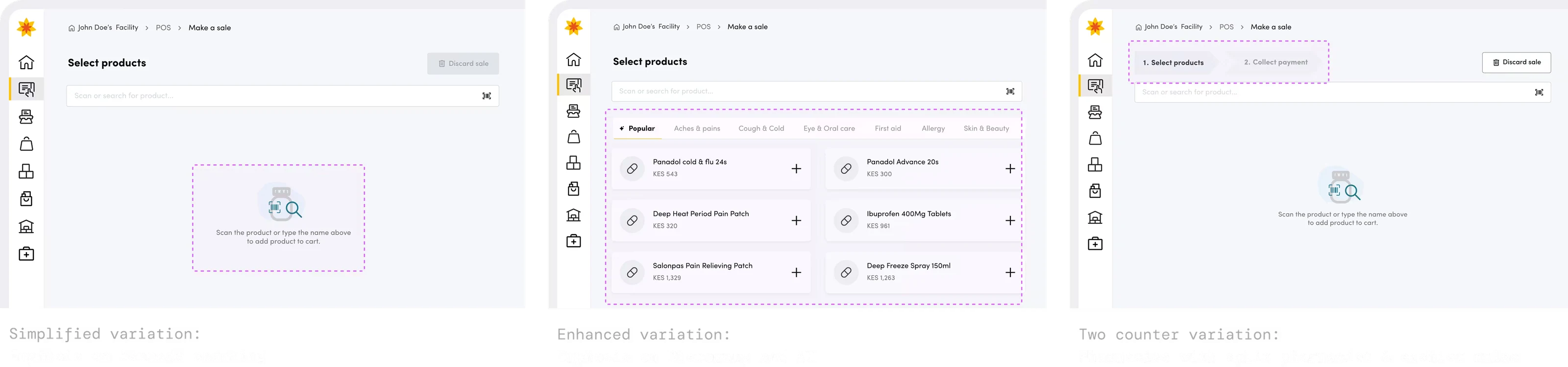
Find anything, even with a typo.
As a foundation we fully reindexed the product catalog with offline availability, coupled with an intelligent search that uses fuzzy matching to understand intent. Cashiers can now also find entire product categories like 'painkillers instantly, even with typos, ensuring fast and uninterrupted service delivery.
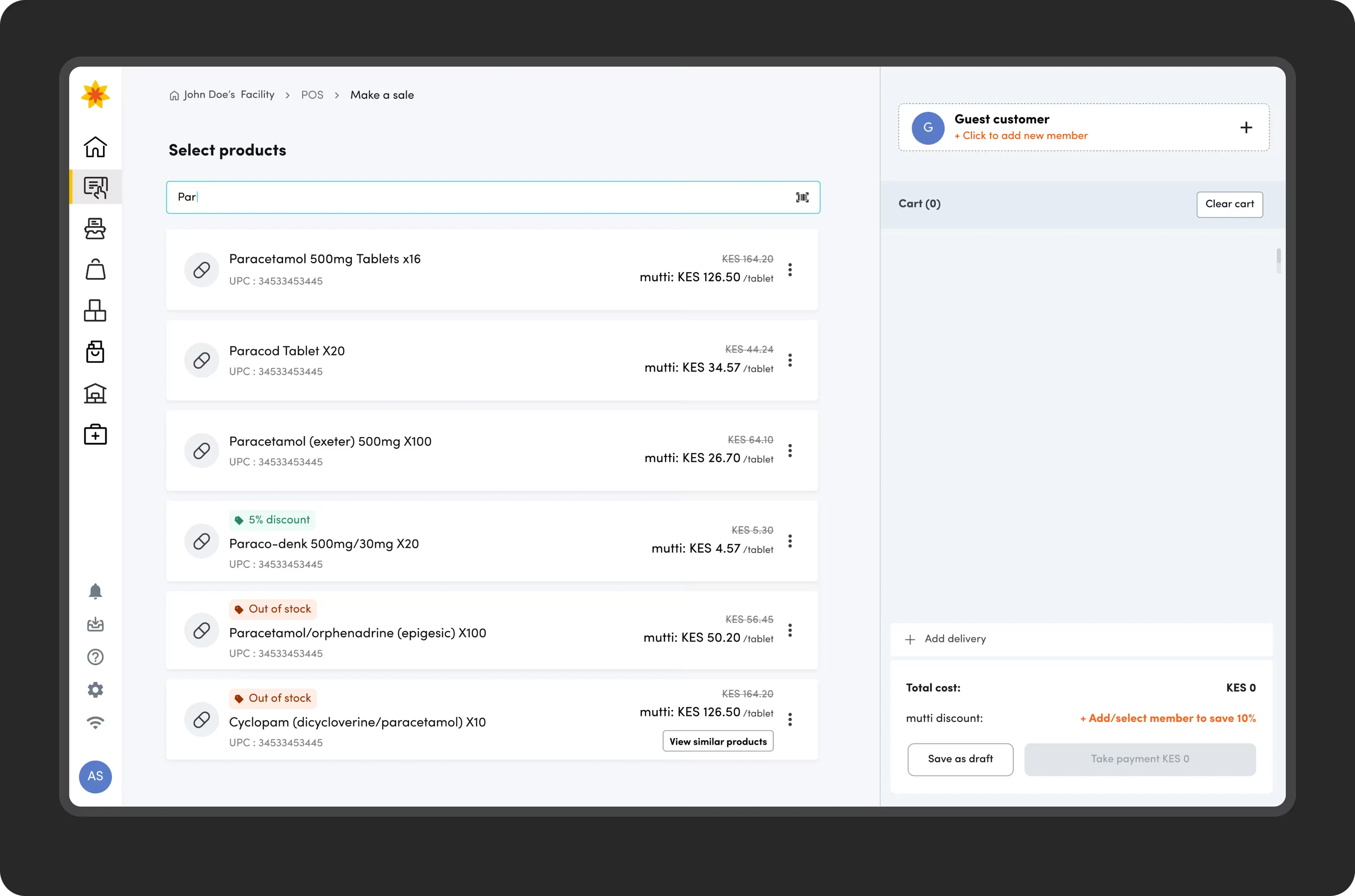
Flexible transactions with multiple methods and insurance copay.
We designed a consolidated payment workflow that supports complex payment options. Cashiers can process split payments across multiple methods and offer deferred payment options seamlessly. The platform provides real-time transaction status and generates comprehensive, exportable reports for effortless daily settlement and financial auditing.
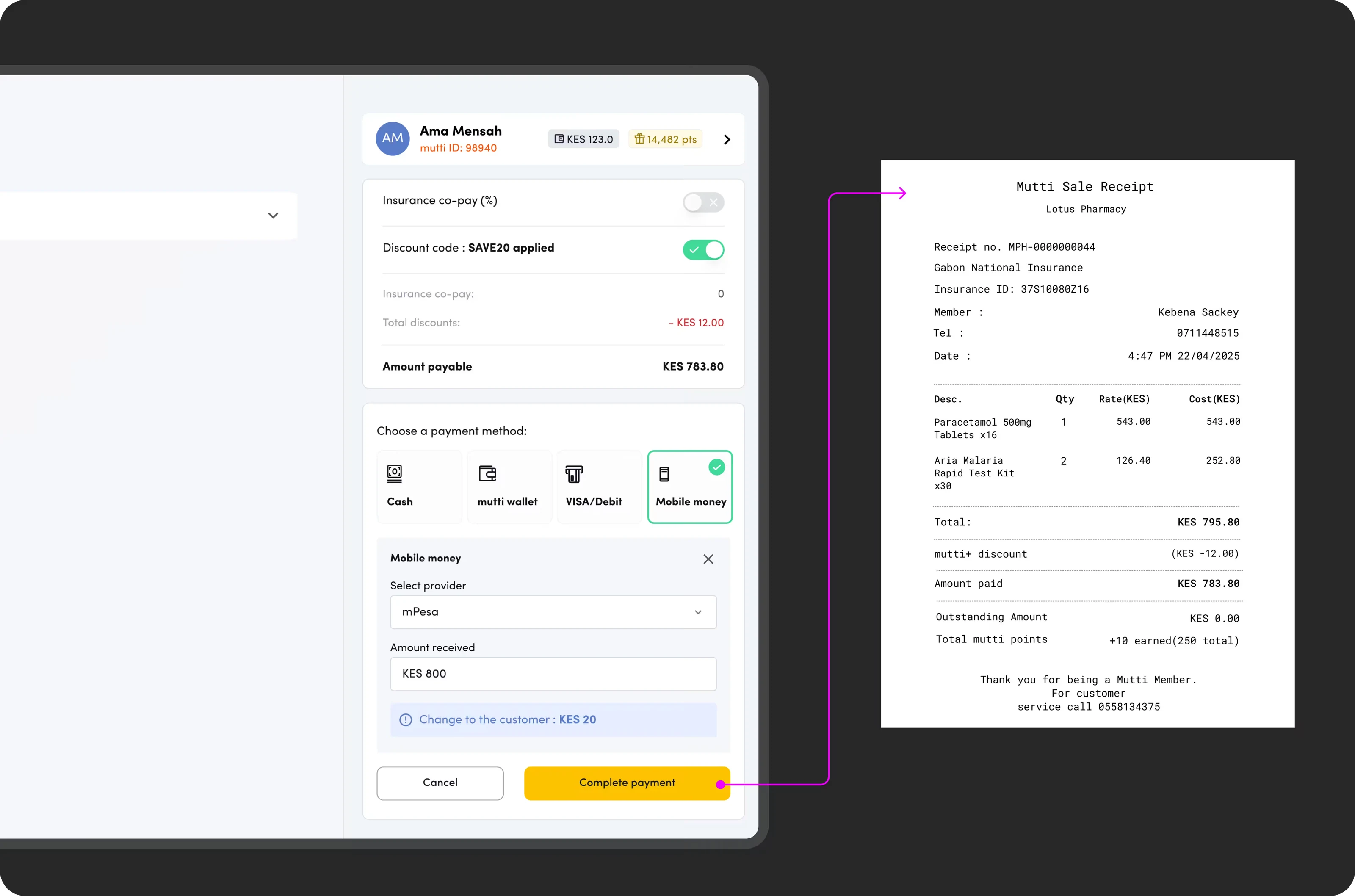
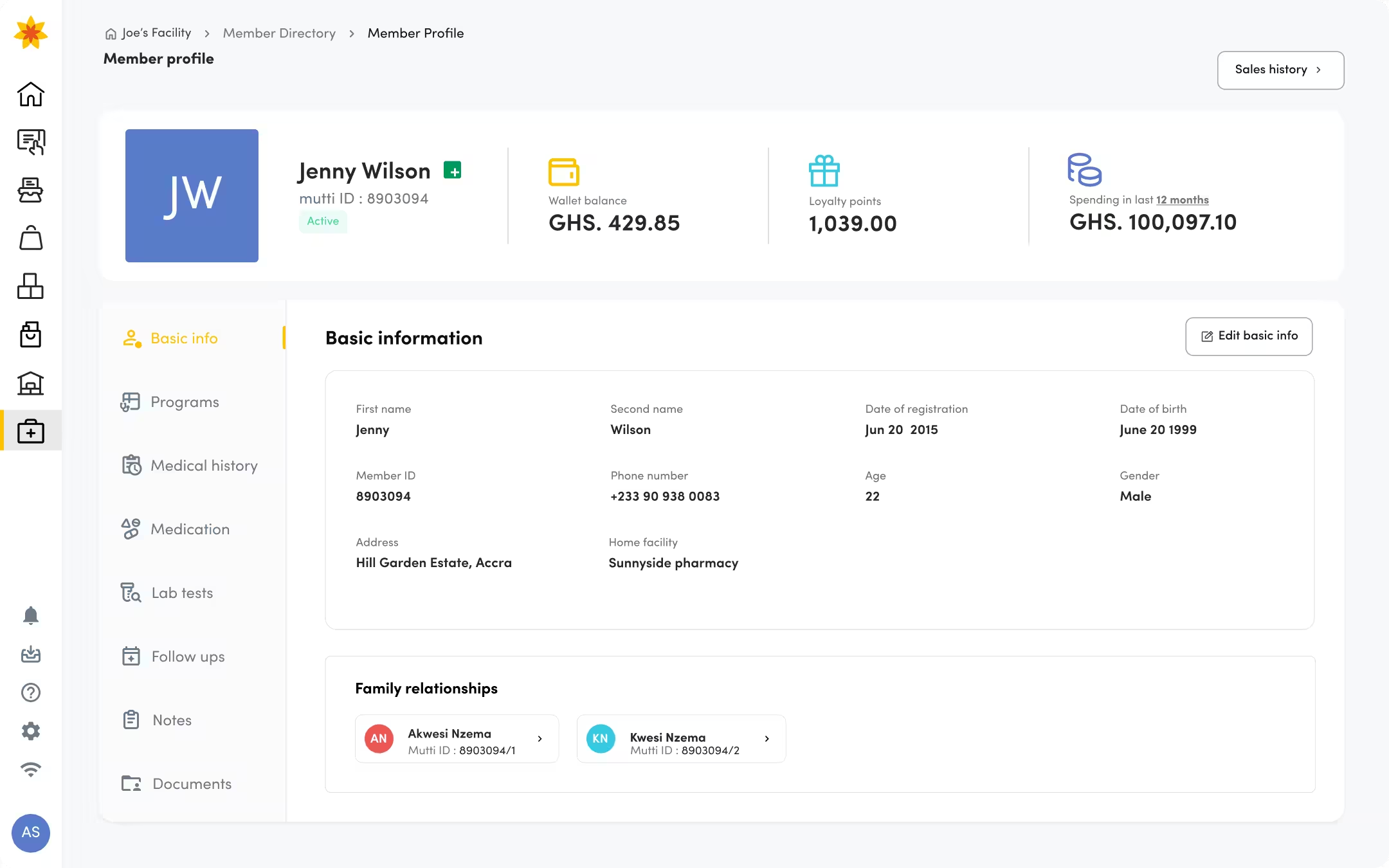
Consent driven enhanced patient data.
A consent-driven access snapshot of a patient's health data, including major allergies, current medications gives authorized pharmacists more context of the patient and enhances medication safety, improves clinical outcomes, and fortifies the pharmacist's role as a frontline healthcare provider.
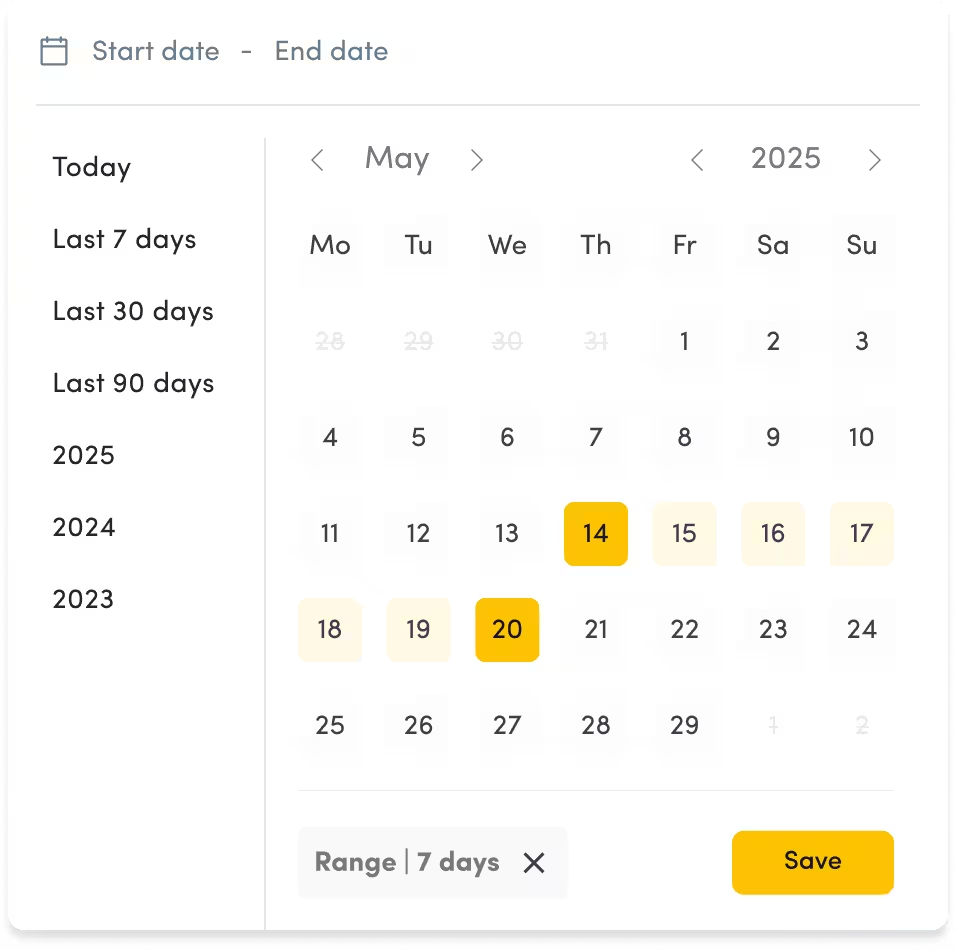
Sales history, sale reversal and lost sales.
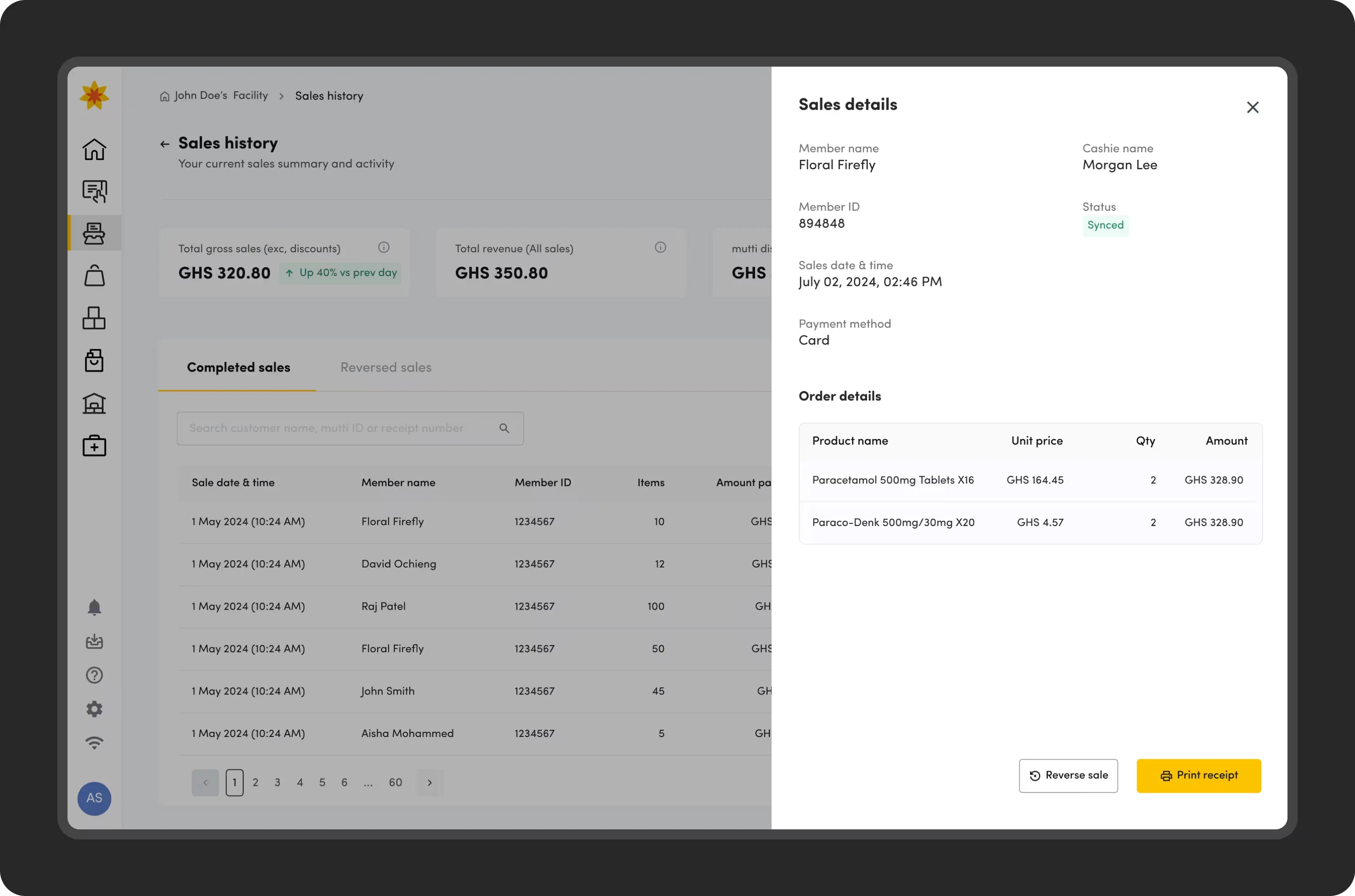
Business stakeholders highlighted they need to view all sales transactions with the ability to filter by payment type, date range. They can see items sold and are able to reverse sales when customers are unsatisfied with the product or prefer a different product. Lost sales allows cashiers to record missed opportunities providing procurement with direct insight into high-demand products for smarter inventory planning.
After the redesign...
Adoption · How will users discover the new capabilities?
To drive feature discovery, we implemented a rotating "What's New" banner with release notes and a "Try It Now" call-to-action, which remained active for 72 hours post-release. Secondly, we also employed contextual nudges triggered by user friction. For example, following a failed exact-match search, the system suggests: "No exact match found. Try our fuzzy search or browse the Painkillers category."
Measuring impact
During a two-month pilot phase, we instrumented the product for event analytics and conducted pre- and post-comparisons using research-derived baselines. Our focus was on operational, safety and adoption metrics aligned with pharmacy workflows and business objectives.
We conducted usability testing and learnt that most uses were able to accomplish tasks with ease without much guidance.
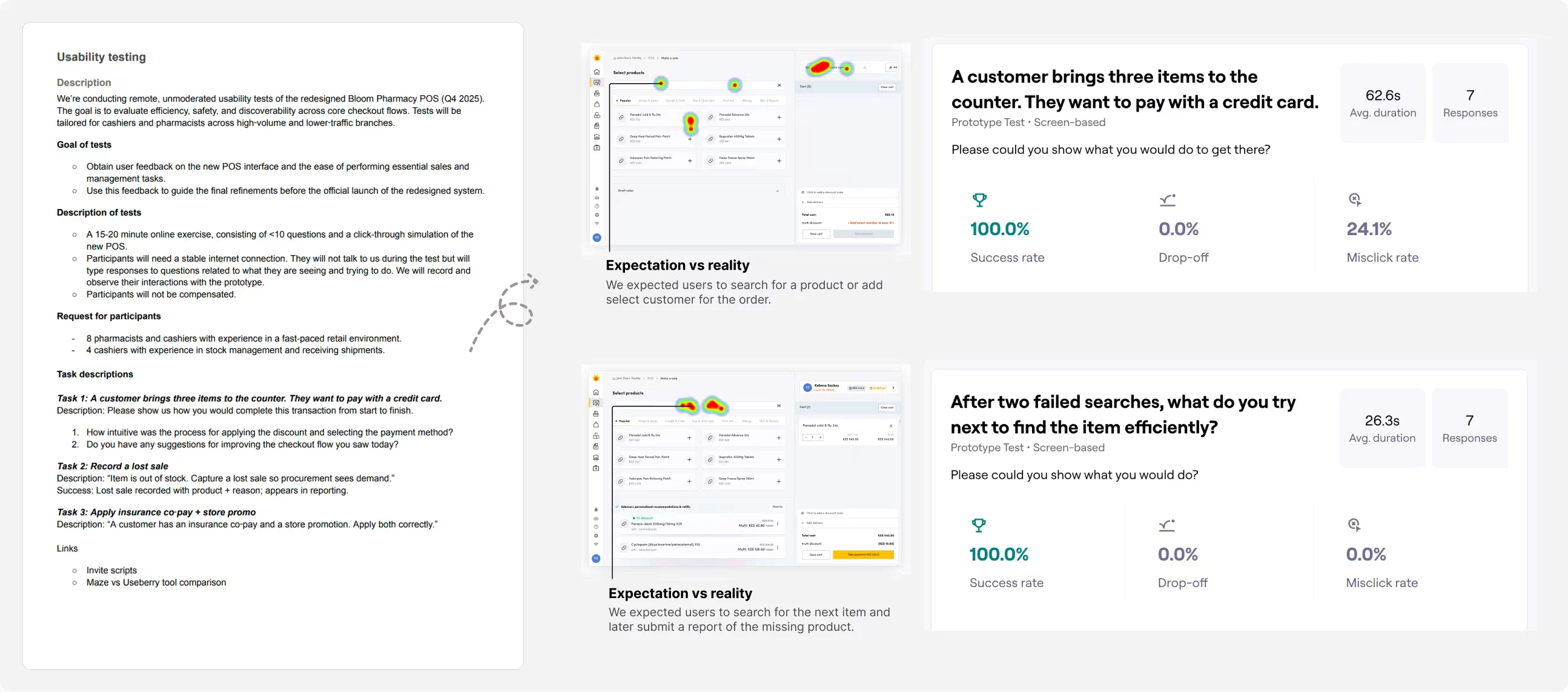
For the pilot we tracked;
Operational efficiency
Time-to-checkout, search success, interruption rate.
Reliability
Feature usage, error incidence, intervention types, suggestion acceptance.
Adoption & learnability
Offline search success, sync delays, incident MTTR.
Impact
We rolled out the project at the end of Q4 in 2025 in 9 countries and so far we have seen;
fewer workflow steps per completed checkout.
median time‑to‑checkout per transaction, reduced from over ~5 mins.
of catalog is searchable offline enabling pharmacies to process sales without internet.
More work at mPharma
Select an image to explore.